Why Your WhatsApp Account Is More Exposed Than You Think
WhatsApp normally verifies you with a single factor: a code sent by SMS to your phone number. That works fine until someone else gets that code. Attackers do this in a few well known ways. A SIM swap scam tricks your mobile carrier into moving your number to a SIM card the attacker controls. A phishing message poses as WhatsApp support and asks you to forward the six digit code you just received. Malware or a compromised backup can also expose the verification message before you ever see it.
Once an attacker has your number and that one SMS code, they can register your WhatsApp account on their own device. From there they can read your chats, message your contacts pretending to be you, and lock you out entirely. Because WhatsApp is so often used for banking alerts, work conversations, and personal messages, a hijacked account is not just an inconvenience. It is a direct path to fraud and identity theft.
What Two-Step Verification Actually Does
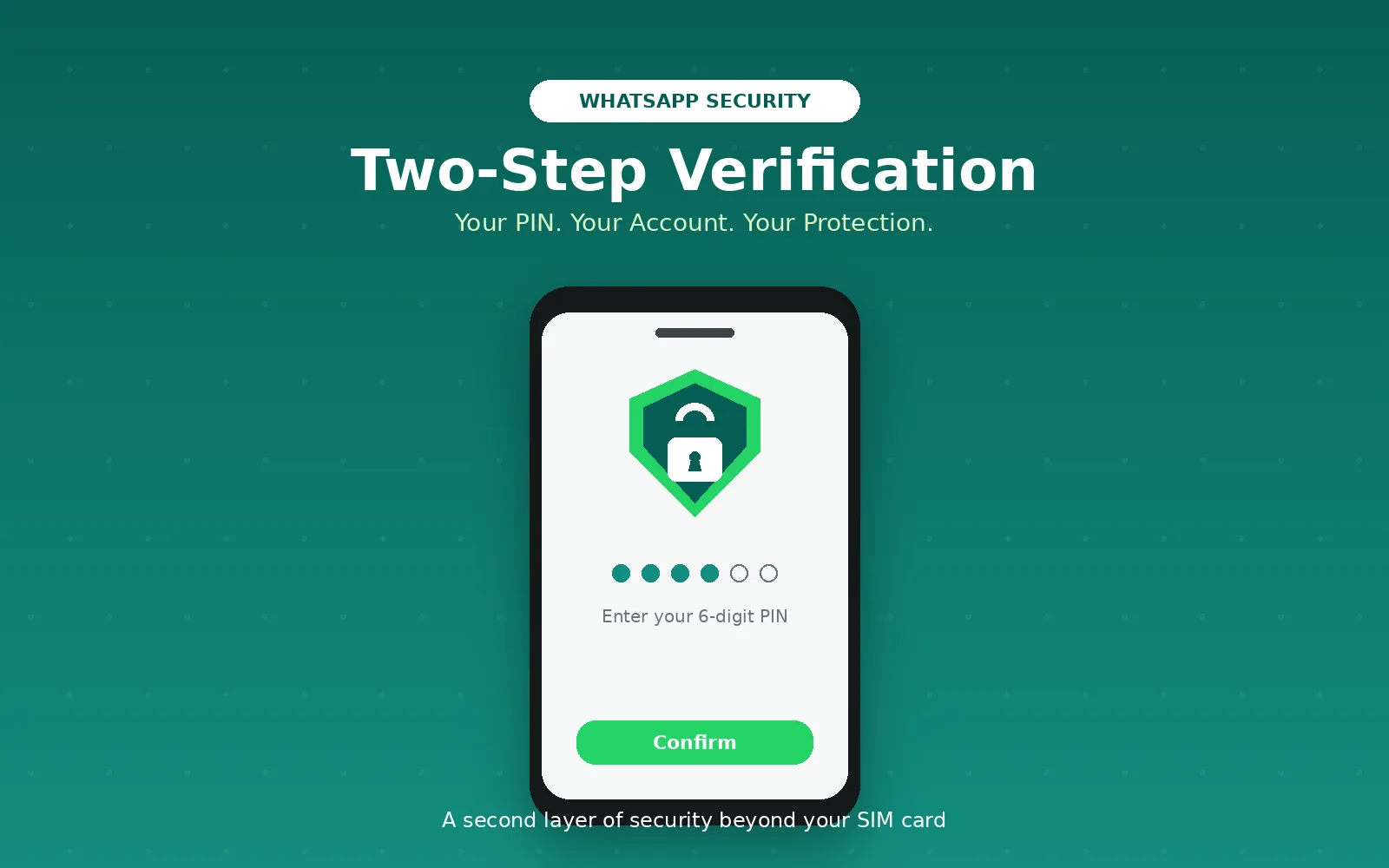
Two-step verification is WhatsApp's name for two-factor authentication. Once it is turned on, registering your number on a new phone or reinstalling the app requires two things instead of one: the SMS verification code, and a six digit PIN that only you set. If someone else obtains your SMS code but does not know your PIN, they are stopped at the second gate and cannot take over your account.
This is the same principle behind two-factor authentication on email, banking, and social media accounts. A single secret, like a password or an SMS code, can be intercepted or leaked. Requiring a second, independent secret dramatically raises the effort needed to break in, because the attacker now needs access to two separate things rather than one.
The Specific Security Problems It Solves
Two-step verification directly addresses a few common attack paths.
SIM swap fraud is one of the biggest risks it closes. Even if a criminal convinces your carrier to port your number to a new SIM, they still cannot re-register your WhatsApp account without your PIN.
Account hijacking through leaked or phished SMS codes is another. Scammers frequently ask targets to read out or forward a "verification code" under a false pretext. With two-step verification enabled, that code alone is no longer enough to seize the account.
Device loss or theft is covered as well. If your phone is lost or stolen and someone tries to move your WhatsApp account to a new device, the PIN acts as a second lock they do not have.
It also protects against unauthorized reinstallation, which matters if you ever change phones, restore from a backup, or reinstall WhatsApp after a factory reset. The PIN confirms that it is really you making that change.
How to Activate Two-Step Verification
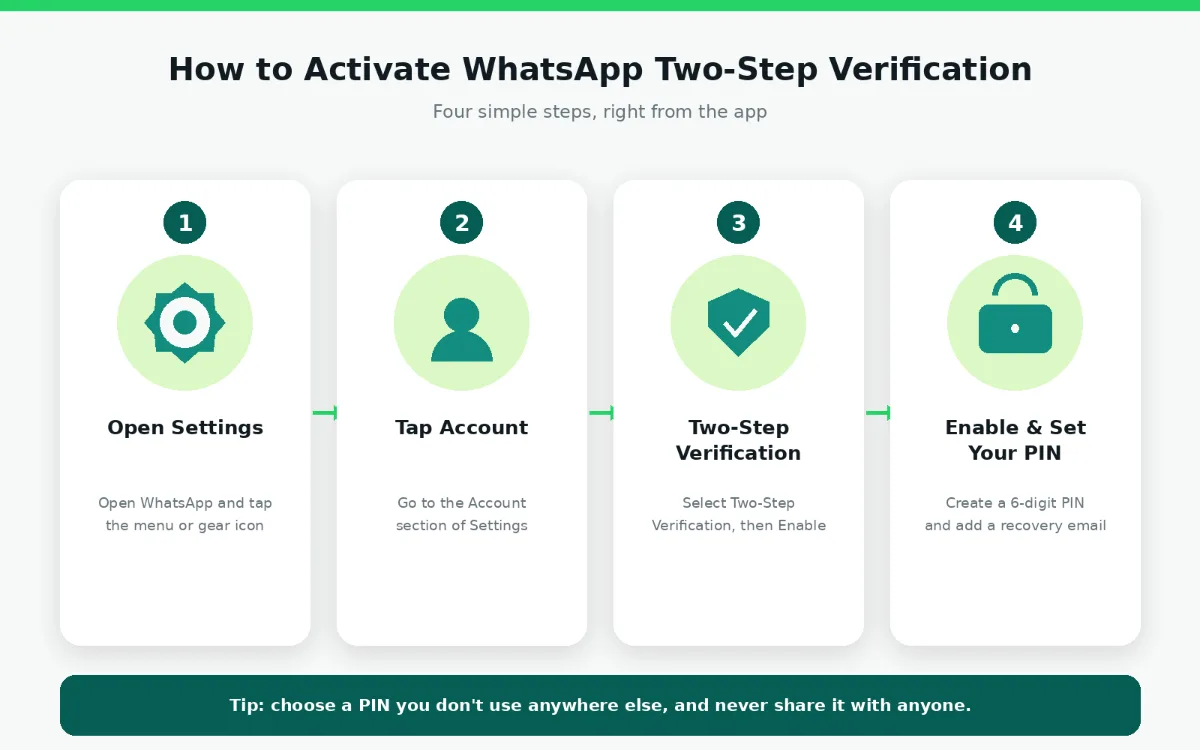
Turning it on takes less than a minute on both Android and iPhone.
Open WhatsApp and go to Settings.
Tap Account, then select Two-step verification.
Tap Enable (or Turn on).
Create a six digit PIN, and confirm it by entering it a second time.
Optionally add an email address for PIN recovery. This step is worth doing, since WhatsApp uses it to help you reset the PIN if you ever forget it, and it cannot recover the PIN for you without it.
Tap Save or Done to finish.
Once it is active, WhatsApp will occasionally ask you to re-enter your PIN during normal use. This is expected and helps make sure you still remember it.
A Few Tips for Choosing and Managing Your PIN
Pick a PIN you do not reuse anywhere else, and avoid obvious sequences like birthdays or repeated digits. Add the recovery email when prompted, since without it a forgotten PIN can mean a lengthy wait to regain access to your account. Never share your PIN or forward it to anyone, even if a message claims to be from WhatsApp support. WhatsApp will never ask you for your PIN or your SMS verification code through a chat message.
The Bottom Line
Two-step verification is a small setup step that closes one of the most common ways WhatsApp accounts get hijacked. It costs a minute to enable and a few seconds of typing a PIN occasionally, in exchange for meaningfully better protection against SIM swap fraud, phishing, and unauthorized account takeover. If you have not enabled it yet, it is worth doing right now.